Key Takeaways
- Google has connected the Gemini app directly to Google Business Profile, letting business owners manage their listing through a chat interface instead of the standard dashboard.
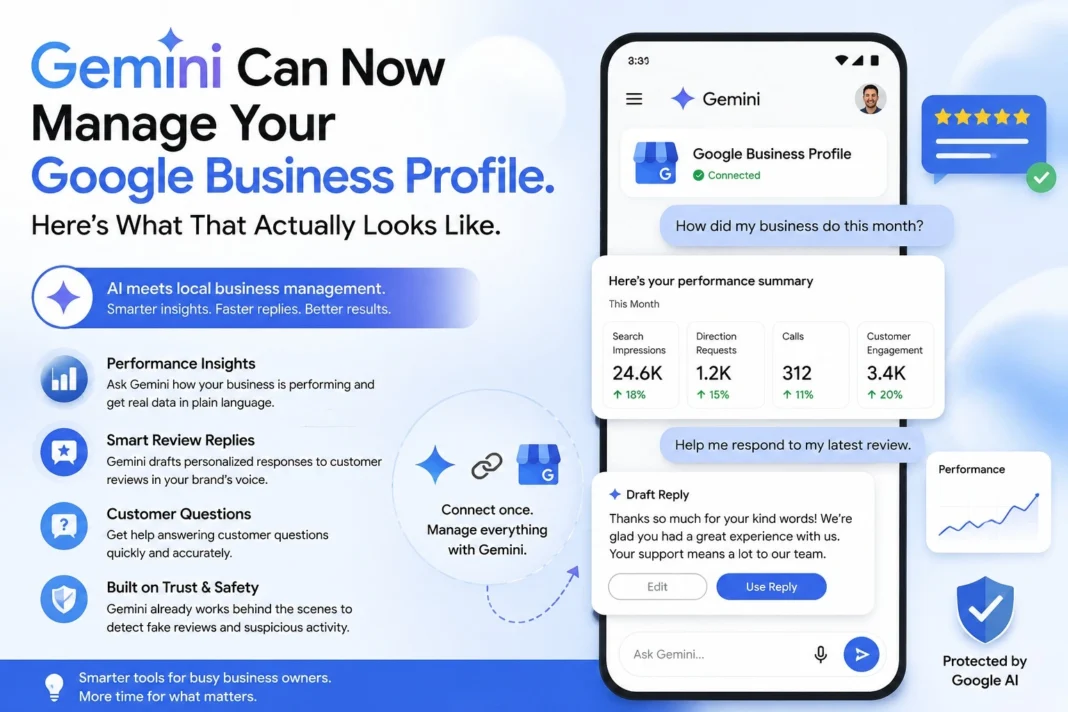
- Once connected, Gemini can analyze real performance data, search impressions, direction requests, calls, and customer engagement, and answer questions about it in plain language.
- Gemini can draft tailored review responses referencing the specific feedback a customer left, though every draft still needs a human read before publishing.
- This builds on a year of Gemini already working behind the scenes to detect fake reviews and suspicious profile edits; this is the first time it’s been offered as a front-end assistant rather than a backend moderator.
- The feature is rolling out gradually and may not be visible to every business yet.
If you’ve ever logged into your Google Business Profile dashboard to answer a single review and ended up clicking through four different menus to find the response box, you know the friction this update is trying to remove. Google has connected Gemini directly to Business Profile, turning what used to be a multi-screen dashboard task into something you can do by typing a sentence into a chat window.
What Gemini Can Actually Do With Your Business Profile
According to Google’s own description, once you connect your profile, Gemini becomes an assistant that has access to your real business context: customer reviews, customer questions, and performance data. That’s a meaningful shift from a general-purpose chatbot to something that actually knows what’s happening with your specific listing.
In practice, that means a few concrete things. You can ask “how did my business do this month?” and Gemini will pull from your actual search impressions, direction requests, call data, and customer engagement to answer, rather than giving you a generic explanation of how to check that yourself. You can ask it to “help me respond to my latest review,” and it will draft a response in what Google describes as your brand’s voice, referencing the specific feedback the customer left rather than generating something generic.
This sits on top of work Google has already been doing with Gemini for about a year, using it behind the scenes to flag fake reviews and suspicious profile edits. What’s different now is that the same AI watching for bad actors is being handed to business owners as a tool to run their own profile, not just police it.
How This Fits Into Google’s Broader AI Push
This isn’t an isolated feature. It builds directly on announcements from Google I/O in May 2026, where Gemini 3.5 Flash became the default model powering AI Mode in Search, alongside an expanded push toward agentic features, meaning AI that doesn’t just answer questions but actually takes multi-step actions on your behalf.
The Business Profile integration is part of that same direction. Gemini is moving from a tool you ask things to a tool that does things, and managing a local business listing, with its repetitive tasks like review replies and performance check-ins, is a fairly natural place to start.
Google also introduced “Business notebooks” around the same time, a feature meant to help organize workflows, track tasks, and generate content based on specific business context. Combined with the Business Profile connection, the direction is clear: Google wants small business owners managing more of their digital presence through Gemini conversations rather than separate dashboards.
Setting Up the Connection
Google says the feature is rolling out gradually, in the company’s words, “in the coming weeks,” so don’t be surprised if it’s not visible in your Gemini app yet. When it is available, connecting your profile gives Gemini access to:
- Search impressions and how customers are finding your listing
- Direction requests and call data
- Customer reviews and questions
- General performance metrics tied to your profile
Once connected, you interact with it the same way you’d talk to Gemini for anything else, through natural language prompts, rather than navigating a separate settings menu.
The Part That Actually Matters: Human Review
Here’s the thing worth sitting with before you start letting Gemini draft every review response automatically. An AI-drafted reply still represents your business once it’s published. A slightly off tone, a factual error about your hours or policies, or a response that doesn’t quite match how an actual human at your business would talk, that’s now public, attached to your name, and visible to every future customer reading that review thread.
This isn’t a reason to avoid the feature. It’s a reason to treat every draft as exactly that: a draft. Read it before it goes live. Adjust anything that doesn’t sound like you. The time saved is in not staring at a blank text box trying to figure out how to respond to a one-star review about a slow table turn, not in skipping the review step entirely.
Common Mistakes to Avoid
- Publishing AI-drafted review responses without reading them first. Even a well-trained model can misread sarcasm, miss context from a previous interaction, or get a specific policy detail wrong.
- Assuming the feature is available immediately. Rollout is gradual; check your Gemini app periodically rather than assuming something’s broken if you don’t see it yet.
- Treating performance summaries as a replacement for the full Business Profile dashboard. Chat-based summaries are great for a quick check-in, but detailed trend analysis still benefits from the full dashboard view.
- Ignoring the moderation history behind this tool. Gemini has been used to flag suspicious activity on profiles for about a year. If your profile has had unusual activity flagged before, that history doesn’t disappear just because you’re now using Gemini as an assistant.
- Forgetting to keep your brand voice consistent across both AI-assisted and manually written responses. Customers reading multiple reviews will notice if half your replies sound like a chatbot and half sound like a person.
Expert Tips
If you manage multiple Business Profiles for different clients, test the Gemini connection on one lower-stakes profile first before rolling it out across an entire client roster. Get a feel for how it phrases responses and whether it matches each client’s actual tone before trusting it broadly.
Use the performance-question feature (“how did my business do this month?”) as a quick weekly check-in habit rather than only pulling reports monthly. Because it’s conversational, it lowers the friction to actually checking in regularly, which most small business owners admit they don’t do often enough with the standard dashboard.
What’s Next
Expect Google to keep expanding what Gemini can do inside Business Profile beyond review replies and performance summaries. Given the direction at I/O 2026, toward agentic, multi-step AI across Workspace and Search, it’s a reasonable bet that future updates will let Gemini take more direct action on a profile, posting updates, adjusting hours, or responding to customer questions, rather than just drafting suggestions for a human to approve.
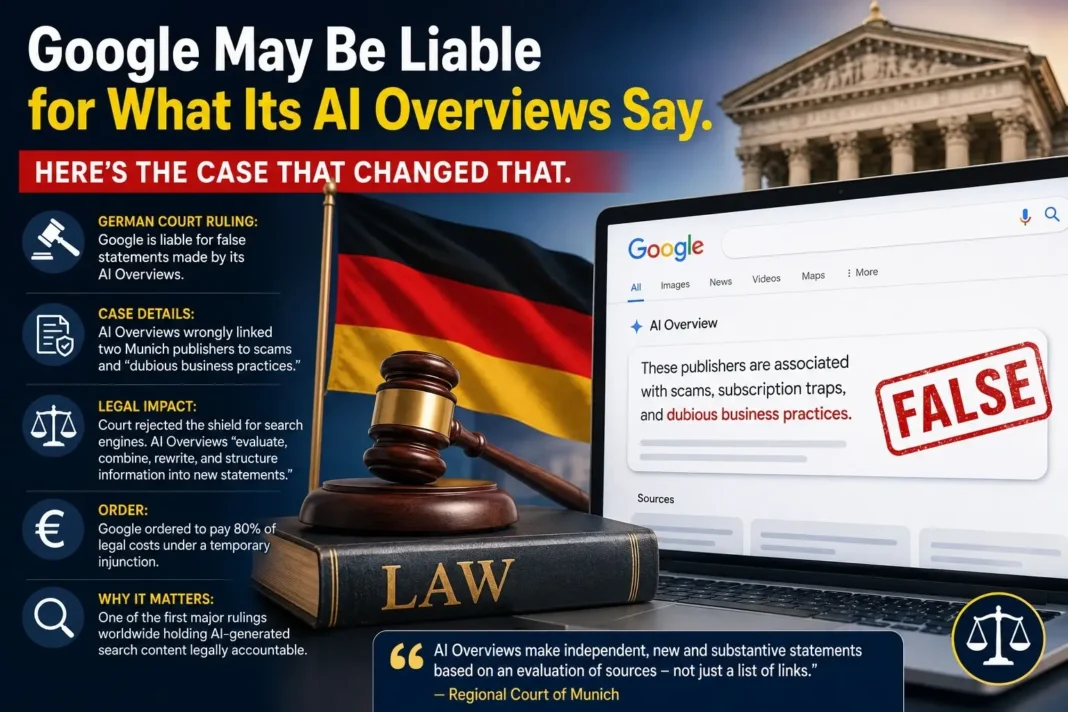
The bigger open question is how this interacts with the parallel story of Google’s AI making mistakes, like the German court ruling holding Google liable for false AI Overview claims. If Gemini is now drafting public-facing content for businesses, the accuracy of those drafts matters in ways that go beyond convenience.
Conclusion
Gemini now connects directly to Google Business Profile, giving small business owners a chat-based way to check performance and draft review responses instead of navigating the standard dashboard for every task. It builds on a year of Gemini quietly working behind the scenes on review moderation, and signals where Google’s broader AI strategy for small business is heading: less dashboard clicking, more conversational management. The upside is real time savings on repetitive tasks. The catch is that every AI-drafted response still needs a human check before it goes public.
FAQ
What is the Gemini Google Business Profile integration?
It’s a feature that connects your Google Business Profile directly to the Gemini app, letting you ask questions about your performance and draft review responses through a chat interface instead of the standard dashboard.
How do I connect my Business Profile to Gemini?
Google says the connection is rolling out gradually through the Gemini app; once available for your account, you’ll see an option to connect your existing Business Profile.
Can Gemini respond to reviews automatically without my approval?
Gemini drafts responses for you to review and approve; treating every draft as a starting point rather than a final answer is the recommended approach.
Does Gemini have access to my real performance data?
Yes. Once connected, Gemini can reference your actual search impressions, call data, direction requests, and customer engagement metrics.
Is this feature available to every business right now?
No. Google has said the rollout is gradual and may not appear for every eligible user yet.
Has Google used Gemini with Business Profile before this?