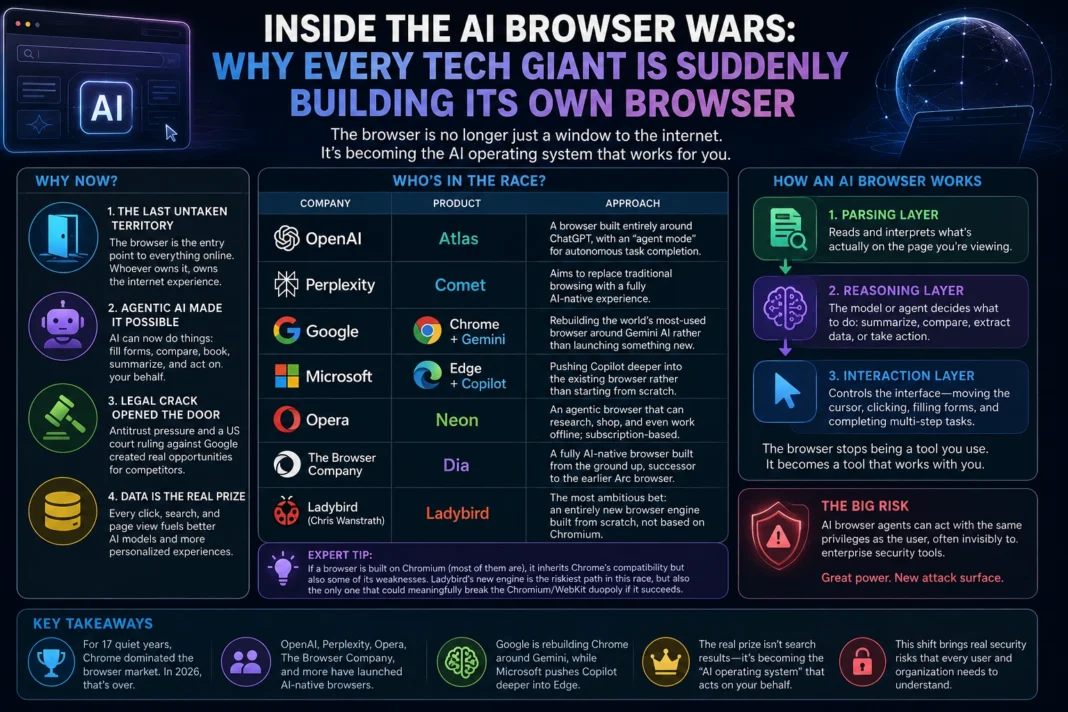
Key Takeaways
- For 17 quiet years, Chrome dominated the browser market with little real competition. In 2026, that’s over.
- OpenAI (Atlas), Perplexity (Comet), Opera (Neon), and The Browser Company (Dia) have all launched AI-native browsers.
- Google is rebuilding Chrome around Gemini, while Microsoft pushes Copilot deeper into Edge.
- The real prize isn’t search results — it’s becoming the “AI operating system” that acts on your behalf inside the browser.
- This shift brings real security risks, since AI browser agents can act with the same privileges as the user, often invisibly to enterprise security tools.
Introduction
For almost two decades, browsers were boring. Chrome won, Chromium became the default engine under the hood of nearly everything, and the so-called “browser wars” of the 1990s — Netscape versus Internet Explorer — felt like ancient history.
Then, almost overnight, every major AI company decided it needed its own browser. OpenAI built one. Perplexity built one. Opera built one. Even Google, which already owns the browser market, started tearing Chrome apart and rebuilding it around its Gemini AI model.
If you’ve been wondering why your browser suddenly wants to “do things for you” instead of just showing you web pages, this article breaks down exactly what’s happening, why it’s happening now, and what it means whether you’re a casual user, a developer, or a security team trying to keep up.
Why Is Everyone Suddenly Building an AI Browser?
1. The Browser Is the Last Untaken Territory
Search engines, social platforms, and app stores are already owned by giants. But the browser — the actual window you use to reach all of it — has been quiet since Chrome’s rise. Whoever controls that window controls the entry point to everything else on the internet.
Think of the browser like the front door to a mall. For years, one company owned the door and let everyone walk through it freely. Now, several companies are trying to build their own doors, hoping shoppers will walk through theirs instead.
2. Agentic AI Made a New Kind of Browser Possible
Earlier AI tools could only answer questions. Agentic AI can actually do things: fill out forms, compare prices across tabs, book a flight, or pull data from five different pages and summarize it in one click.
That capability didn’t exist in a meaningful, reliable way until recently, and it changed what a browser could be. Instead of a tool you operate, the browser starts becoming a tool that operates with you.
3. A Legal Crack Opened the Door
A US court ruling found that Google had maintained an illegal search monopoly, and that ruling, combined with antitrust pressure around Chrome, created real incentive for competitors to push harder into a market that once felt impenetrable.
4. Owning the Browser Means Owning the Data
Every search, every click, every page view flows through the browser. For AI companies racing to build smarter, more personalized models, that stream of behavioral data is enormously valuable — arguably more valuable than the browser itself.
Who’s Actually in the Race? A Quick Breakdown
| Company | Product | Approach |
|---|---|---|
| OpenAI | Atlas | A browser built entirely around ChatGPT, with an “agent mode” for autonomous task completion |
| Perplexity | Comet | Aims to replace traditional browsing with a fully AI-native navigation experience |
| Chrome + Gemini | Rebuilding the world’s most-used browser around Gemini AI rather than launching something new | |
| Microsoft | Edge + Copilot | Pushing Copilot deeper into the existing browser rather than starting from scratch |
| Opera | Neon | An agentic browser that can research, shop, and even work offline; subscription-based |
| The Browser Company | Dia | A fully AI-native browser built from the ground up, successor to the earlier Arc browser |
| Ladybird (Chris Wanstrath) | Ladybird | The most ambitious bet: an entirely new browser engine built from scratch, not based on Chromium |
Expert Tip: If a browser is built on Chromium (most of them are), it inherits Chrome’s compatibility but also some of its weaknesses. Ladybird’s attempt to build a brand-new engine is the riskiest path in this race, but also the only one that could meaningfully break the Chromium/WebKit duopoly if it succeeds.
How an AI Browser Actually Works
Most AI browsers operate through three layers working together:
- Parsing layer — reads and interprets what’s actually on the page you’re viewing.
- Reasoning layer — a model or agent decides what to do with that information: summarize it, compare it, extract data, or take an action.
- Interaction layer — controls the interface itself, moving the cursor, clicking buttons, filling forms, and completing multi-step tasks.
This is fundamentally different from older AI tools that relied purely on APIs and webhooks behind the scenes. AI browsers bring the “thinking” directly into the same window you’re browsing in, so the assistance feels native rather than bolted on.
Step-by-Step: Trying an AI Browser for the First Time
Requirements: A Mac or Windows computer (most AI browsers are desktop-first right now), and an existing account with the relevant AI provider if required.
- Pick one based on your main goal — research and writing (Atlas, Comet), customization and workflow control (Dia), or agentic task automation (Neon).
- Download and install the browser, treating your first session as a test drive rather than a full switch.
- Import your bookmarks and passwords from your current browser, if the option is offered.
- Try one real task — comparing prices, summarizing a long article, or filling out a repetitive form — to see how the agent layer performs.
- Check the permissions it requests. Agentic features often need broad access; review exactly what’s being granted before saying yes.
- Keep your old browser installed for at least a few weeks, since AI browsers are still maturing and occasionally miss edge cases.
Troubleshooting tip: If an AI browser’s agent mode gets stuck on a task, it’s often because the target website detected automated behavior and blocked it. This is increasingly common and expected to get more aggressive as sites push back against bot-like browsing.
Comparison: Traditional Browser vs. AI Browser
| Feature | Traditional Browser | AI Browser |
|---|---|---|
| Core function | Display web pages | Display + reason about + act on pages |
| Task automation | None or via extensions | Built-in agent mode |
| Personalization | Manual bookmarks/history | Adapts based on browsing behavior |
| Privacy considerations | Well understood | Still evolving, more data exposure |
| Security model | Mature, widely tested | New, with emerging attack surfaces |
| Learning curve | Minimal | Moderate, especially for agent features |
The Real Risk Nobody’s Talking About Enough: Security
AI browsers don’t just read pages anymore — they act on them, with the same level of access and trust as the human sitting in front of the screen. That creates a genuinely new kind of risk.
Security researchers have already observed attacks where AI browser agents were tricked into leaking data, downloading malware, or granting unauthorized access to enterprise systems, all without the user realizing anything had gone wrong.
The deeper issue is that traditional enterprise security tools can’t easily tell the difference between a task a human performed and one an AI agent performed inside the same browser, because the network traffic looks identical. This is pushing security teams toward newer concepts like “agentic identity” and agent-specific data-loss prevention.
Common mistakes companies make right now:
- Treating AI browser extensions like normal browser extensions. They often have far broader permissions.
- Not auditing what an agent can access before letting employees use agent mode.
- Assuming “it’s just a browser” and skipping a security review entirely.
- Letting agent mode run unsupervised on sensitive internal tools.
- Ignoring browser-level logging, which is now one of the few ways to catch agentic misuse.
Who Should Use an AI Browser Right Now?
Good fit:
- Researchers and writers who do heavy multi-tab comparison work
- Developers comfortable reviewing what permissions an agent is requesting
- Early adopters who don’t mind occasional rough edges
Should wait:
- Anyone handling highly sensitive financial, medical, or legal data without strong IT oversight
- Enterprise teams without an updated security policy for agentic tools
- Users who primarily need rock-solid stability over new features
Expert Tips Most Coverage Misses
- Check whether the AI browser lets you swap in your own model. Tools with a “pluggable AI layer” are far more future-proof than ones locked to a single provider.
- Look for local, on-device memory options. Browsers that keep your behavioral history on-device rather than in the cloud are a meaningfully safer long-term bet.
- Don’t judge an AI browser by its demo. Agent mode often looks flawless in a curated video and far rougher on your actual, messy real-world websites.
What’s Next: Future Trends in the AI Browser Wars
- The browser is becoming the new “AI operating system.” The company that controls this interface layer may matter more than the company with the single smartest model.
- Expect more acquisitions, following the pattern of Atlassian’s move to acquire The Browser Company.
- Security tooling built specifically for agentic browsing will become its own product category, not just an add-on.
- Regulatory scrutiny will intensify, especially around data collection practices baked into “personalized” AI browsing.
- Chromium’s grip may finally loosen if independent engine projects like Ladybird actually ship a stable alpha.
Conclusion
The browser wars never really ended — they just went quiet for 17 years while Chrome ran the table. Agentic AI changed the math. Now the browser isn’t just a window to the web; it’s becoming the place where AI actually does things for you, which makes it one of the most valuable pieces of real estate left on the internet.
If you’re choosing whether to switch, focus less on flashy demos and more on three things: what permissions you’re granting, whether your data stays local, and whether the company building it will still be around in two years. The winner of this war won’t necessarily have the smartest model — it’ll be whoever earns enough trust to sit in the middle of everything you do online.
FAQ
What is an AI browser? A web browser with built-in AI that can read, reason about, and act on web pages — not just display them.
What’s the difference between ChatGPT Atlas and Perplexity Comet? Atlas is built around ChatGPT and includes an agent mode for autonomous tasks, while Comet focuses on replacing traditional browsing with AI-native navigation, including offline task capability.
Is Google Chrome becoming an AI browser? Yes. Google is rebuilding Chrome around its Gemini AI model rather than launching a separate browser.
Why did the browser market suddenly become competitive again? A mix of antitrust pressure on Google, the arrival of capable agentic AI, and the realization that the browser is a valuable, underexploited data and access layer.
Are AI browsers safe to use? They introduce new security risks since agents can act with full user-level access, sometimes invisibly to traditional security tools. Caution and permission review are recommended.
What does “agent mode” mean in a browser? A feature that lets the AI complete multi-step tasks on your behalf, like filling forms, comparing prices, or booking services, without manual clicking.
Which AI browser is best for privacy? Browsers with local, on-device memory and a pluggable AI layer (letting you choose your own model) currently offer the strongest privacy posture.
Will AI browsers replace Chrome? Not immediately. Chrome still holds the largest market share, but its dominance is being challenged for the first time in nearly two decades.
What is Ladybird and why does it matter? Ladybird is an attempt to build an entirely new browser engine from scratch, rather than relying on Chromium, which could break the long-standing Chromium/WebKit duopoly if successful.
Should businesses adopt AI browsers now? Only with an updated security policy covering agentic identity and permission auditing; adopting without that oversight is a common and risky mistake.
Do AI browsers work offline? Some, like Opera’s Neon, can perform certain tasks while offline, though most AI features require an internet connection.