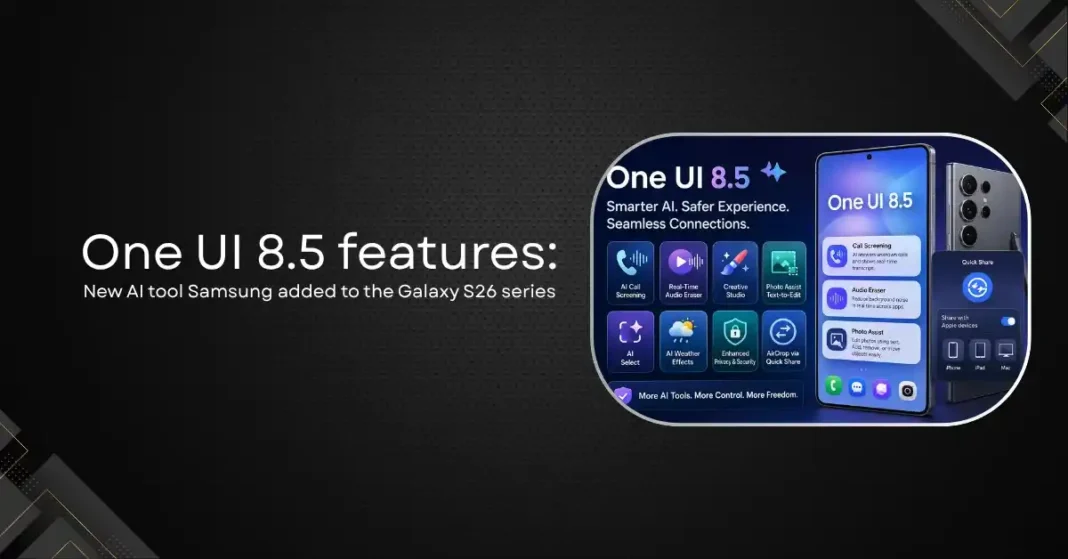
Samsung’s One UI 8.5 shipped pre-installed on the Galaxy S26 series in March 2026 and began rolling out to older Galaxy devices from May 6 onwards. Built on Android 16, it is Samsung’s mid-cycle feature update between One UI 8.0 and the upcoming One UI 9, which is expected with the Galaxy Z Fold 8 later in 2026. One UI 8.5 delivers a meaningful Galaxy AI upgrade, a visual redesign, and new cross-platform sharing features. Here is every new AI tool and what it does.
New Galaxy AI Features in One UI 8.5
AI Call Screening
Call Screening is the headline new Galaxy AI feature in One UI 8.5. When an unknown number calls, an AI-generated voice can answer on your behalf, ask the caller what they need, and present you with a live transcript so you can decide whether to pick up. The full call is summarised for your review. This is an evolution of the earlier Bixby Text Call feature, which only transcribed calls rather than actively engaging with the caller. For users who receive frequent unwanted calls, Call Screening is an immediate quality-of-life improvement that does not require any setup beyond enabling the feature.
Real-Time Advanced Audio Eraser
Audio Eraser debuted with the Galaxy S25 series as a post-recording tool that allowed users to remove background noise from video recordings in the gallery. One UI 8.5 upgrades the feature in two significant ways. First, it now functions in real time during video playback on streaming apps including Instagram, Netflix, and YouTube, allowing users to reduce background noise while watching rather than only while editing. Second, users can control the level of noise reduction directly from the Quick Panel without entering a settings menu. The feature now works system-wide rather than only within the gallery application.
Creative Studio
Creative Studio is a new AI-powered content generation tool that allows users to create AI-generated images and custom stickers. Users can describe what they want in natural language, and the tool produces original visual content for use in messages, social media, or personal projects. This is not a photo editing tool but a generative creation feature, distinct from Photo Assist which works with existing images.
Photo Assist: Text-to-Edit
Photo Assist has been significantly upgraded in One UI 8.5. The new version allows continuous AI-powered photo editing through text prompts without needing to save intermediate versions between edits. Users can remove or add objects, change backgrounds, adjust lighting, and transform photos through natural language instructions. A new Object Transfer feature allows users to move people or objects from one photo into another directly within the gallery, without third-party editing software. Text-to-Edit Photo Assist brings Samsung’s photo editing capabilities closer to what has previously required a desktop application.
AI Select
AI Select builds on Samsung’s previous select-and-identify feature with enhanced capabilities for recognising and interacting with content on screen. The tool can identify objects, text, and elements across applications and trigger relevant actions based on what it finds.
AI Weather Effects
A more personalised feature, AI Weather Effects adds dynamic lock screen wallpaper animations that respond to local weather conditions. Rain, snow, sunshine, and other weather patterns are reflected in animated wallpaper effects that update in real time. It is a cosmetic addition rather than a functional AI tool, but it demonstrates Samsung’s commitment to AI-enhanced personalisation across the device experience.
Privacy and Security Features
Software Privacy Display
While the hardware-level Privacy Display that makes the Galaxy S26 Ultra unique remains exclusive to that device, One UI 8.5 introduces a software privacy masking layer for all compatible devices. This option activates when using sensitive apps like banking or password managers and reduces on-screen visibility from side angles, though it is less effective than the pixel-level implementation on the S26 Ultra.
Enhanced Theft Protection
One UI 8.5 strengthens theft protection by automatically locking the device after repeated failed biometric or PIN attempts. The Identity Check feature now protects a wider range of settings and features, making unauthorised access more difficult even if someone gains physical possession of the device.
Auto Blocker Update
Auto Blocker, Samsung’s security feature that prevents unauthorised software installation and USB data transfers, now includes a temporary disable option. Users can turn it off with an automatic re-enable timer of 30 minutes, resolving a common friction point where users needed to remember to manually re-enable the feature after temporarily disabling it.
Cross-Platform Features
AirDrop via Quick Share
One of the most practically useful additions in One UI 8.5 has nothing to do with AI: Samsung Galaxy devices can now send files directly to iPhones, iPads, and Macs using AirDrop through the Quick Share interface. No third-party app is required. A “Share with Apple devices” toggle appears in Quick Share settings after the update. This is a meaningful improvement for anyone who works across both Android and Apple devices, which represents a large portion of the professional market.
Which Devices Are Getting One UI 8.5?
One UI 8.5 shipped pre-installed on the Galaxy S26, S26 Plus, and S26 Ultra in March 2026. The stable rollout to older devices began in Korea on May 6, 2026, with global expansion through May. Confirmed compatible devices include the Galaxy S25, S25 Plus, S25 Ultra, S25 FE, S24, S24 Plus, S24 Ultra, S24 FE, Galaxy Z Fold 7, Z Flip 7, Z Fold 6, Z Flip 6, Galaxy Tab S11 series, and Galaxy Tab S10 series. Devices from the Galaxy S22 series are expected to receive the update, though some features may be limited on older hardware. Devices outside the support window will not receive the update.
Frequently Asked Questions
What Android version is One UI 8.5 based on?
One UI 8.5 is built on Android 16. It is not a new Android version release but Samsung’s mid-cycle feature update layered on top of Android 16, sitting between One UI 8.0 and the upcoming One UI 9.
Does One UI 8.5 include the Privacy Display?
The hardware-level Privacy Display is exclusive to the Galaxy S26 Ultra. One UI 8.5 adds a software privacy masking feature for other compatible devices that reduces side-viewing visibility on sensitive apps, but it is less effective than the pixel-level implementation.
When does One UI 8.5 roll out to my Galaxy phone?
The stable global rollout began in May 2026 starting with Galaxy S25 series devices. The Galaxy S24 series and foldables are expected to receive the update by late May or early June 2026, depending on region and carrier.
Can Galaxy phones now AirDrop to iPhones?
Yes. One UI 8.5 adds AirDrop support through Quick Share, allowing Samsung Galaxy devices to send files directly to iPhones, iPads, and Macs without any third-party application. A toggle for sharing with Apple devices appears in Quick Share settings after the update.
What is the difference between Creative Studio and Photo Assist?
Creative Studio generates new AI images and stickers from text prompts. Photo Assist edits existing photos through text instructions, allowing users to modify, remove, add, or transform elements of photos they have already taken.