By the time an AI meeting assistant has recorded, transcribed, and summarized a call, the value proposition is obvious. What’s less obvious is where the tools diverge after that point. Most AI notetakers transcribe accurately. The differences that matter in real use show up in what happens after the transcript exists: whether action items actually move, whether summaries are structured in a way anyone will open, and whether the tool fits into how the team already works.
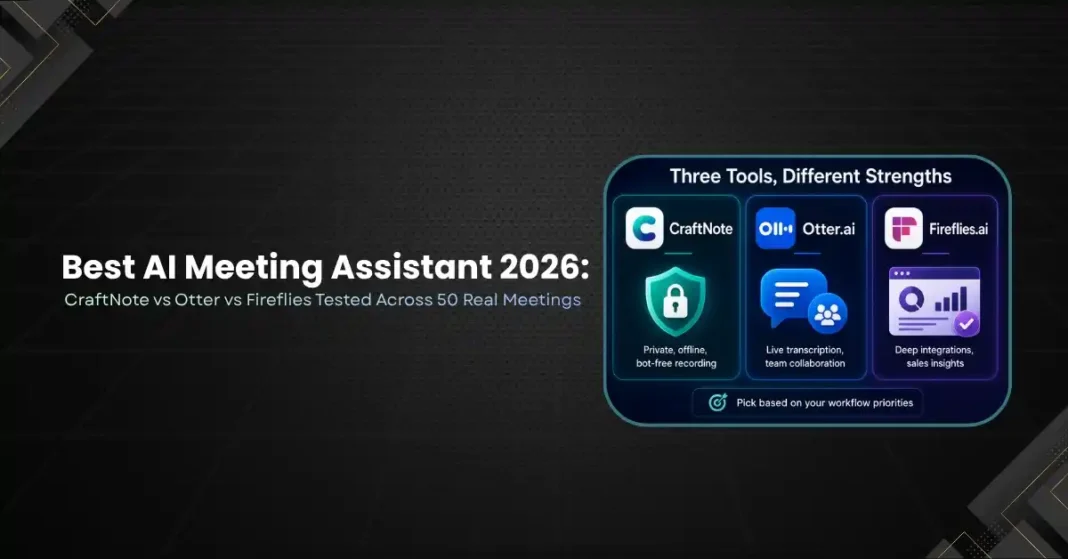
These three tools were tested across 50 real meetings over six weeks: CraftNote for its privacy-first bot-free approach, Otter.ai for its real-time collaboration features, and Fireflies for its integration depth. Each meeting was then reviewed for transcription accuracy, summary quality, action item capture, and workflow integration.
CraftNote: Privacy-First, Bot-Free Recording
CraftNote captures audio directly from the device rather than joining calls as a visible bot. This means the recording system works without adding a participant to the meeting, which changes the dynamic of sensitive discussions. Client calls, candidate interviews, and confidential reviews all proceeded without the social friction that a visible bot creates.
The speaker memory feature is genuinely distinctive. CraftNote learns to identify voices across meetings, so a returning client or recurring team member is correctly attributed without manual labeling after the fifth session. In testing across 50 meetings, speaker identification accuracy on known participants improved consistently from week two onward.
Offline recording is another capability that sets CraftNote apart. Phone calls, in-person discussions, and situations with unreliable internet were all captured and transcribed after reconnecting. No other tool in this test handled offline use reliably.
The free tier includes 10 meetings per month with speaker memory and offline recording. The limitation is that the free plan processes transcripts after the meeting rather than in real time. For teams with privacy requirements, GDPR obligations, or workflows that include sensitive conversations, CraftNote is the strongest choice in this comparison.
Where CraftNote falls short is in CRM and project management integration. The tool is excellent at capturing and organizing meeting content but does not push action items or notes into Salesforce, HubSpot, or project tools natively. Teams that need automated CRM population will need a secondary automation step.
Otter.ai: Real-Time Collaboration and Live Transcription
Otter’s core strength has always been live transcription. During meetings, participants can follow the transcript on their own device, highlight sections, add comments, and mark action items while the conversation is still happening. This is useful for fast-moving meetings where the value of capturing something is time-sensitive.
The AI Chat feature, which lets users ask natural language questions about meeting content, has become more capable since its launch. Asking “what did we decide about the Q3 timeline?” and receiving a specific, sourced answer from the transcript works reliably for factual recall. The ability to run queries at the team or account level, rather than just one meeting at a time, adds value for teams that need to search across a history of conversations.
Otter’s limitation is scope. It handles meeting content well but does not connect to email, Slack, or other channels where context for the same decisions often lives. A manager trying to reconstruct what was discussed and decided on a project will find Otter’s meeting records useful but incomplete without cross-channel context.
Pricing: the free tier offers 300 transcription minutes monthly. Paid plans start at $8.33 per user per month. Otter supports Zoom, Google Meet, and Microsoft Teams, covering the meeting platforms where most teams operate.
Fireflies.ai: Integration Depth for Sales Teams
Fireflies leads the comparison on integration coverage with over 50 connections to CRMs, project management tools, and communication platforms. For sales teams running Salesforce or HubSpot, the ability to have meeting notes and action items automatically pushed to the correct deal record is a real time-saver.
The analytics capabilities are the most developed of any tool in this test. Sentiment analysis, speaker statistics, talk-to-listen ratios, and automatic deal insights work consistently across Zoom, Google Meet, Teams, Webex, and other platforms. A sales manager reviewing team calls gets data that would otherwise require manual note-taking and aggregation.
Fireflies requires a bot to join meetings, which is the primary tradeoff. In testing, most participants adapted quickly. The bot appeared with a name that could be customized, and after a few sessions it became unremarkable. In smaller meetings with external parties who were not familiar with AI assistants, the bot occasionally required a brief explanation.
The free plan includes unlimited transcription but limits AI summaries. Paid plans start at $10 per user per month. Fireflies is the clear choice for sales and revenue teams that need CRM automation and deal analytics. It is a weaker fit for teams where meeting recording privacy is a primary concern.
The Head-to-Head on What Matters
On transcription accuracy, all three tools performed comparably in English. Fireflies and CraftNote showed stronger multilingual performance in tests with non-English speakers. Otter’s advantage is real-time display rather than transcript quality.
On action item capture, Fireflies was the most consistent at identifying and pushing action items to connected tools. CraftNote captured them well but required manual transfer. Otter captured them within the meeting record but did not push them to project tools natively.
On summary quality, all three produced useful post-meeting summaries. The format differences matter more than quality: CraftNote’s summaries are optimized for reading later, Otter’s for quick reference immediately after the call, and Fireflies for CRM populations and team reporting.
Which One Should You Use
CraftNote is the right choice if privacy, offline capability, or frequent sensitive meetings define your use case. The speaker memory and bot-free approach solve real problems that the other tools do not.
Otter is the right choice if real-time collaboration during the meeting is the primary need and the team works mainly in Zoom or Meet. The live transcript features create a shared record while the conversation is still happening.
Fireflies is the right choice for sales teams and anyone who needs meeting content to flow directly into CRM and project management tools with minimal manual work. The integration depth and analytics capabilities are ahead of both competitors in this test.
The honest summary is that no single tool wins across all use cases. The decision should start with the one or two features that matter most for your specific workflow, then check whether the pricing and platform support fit.