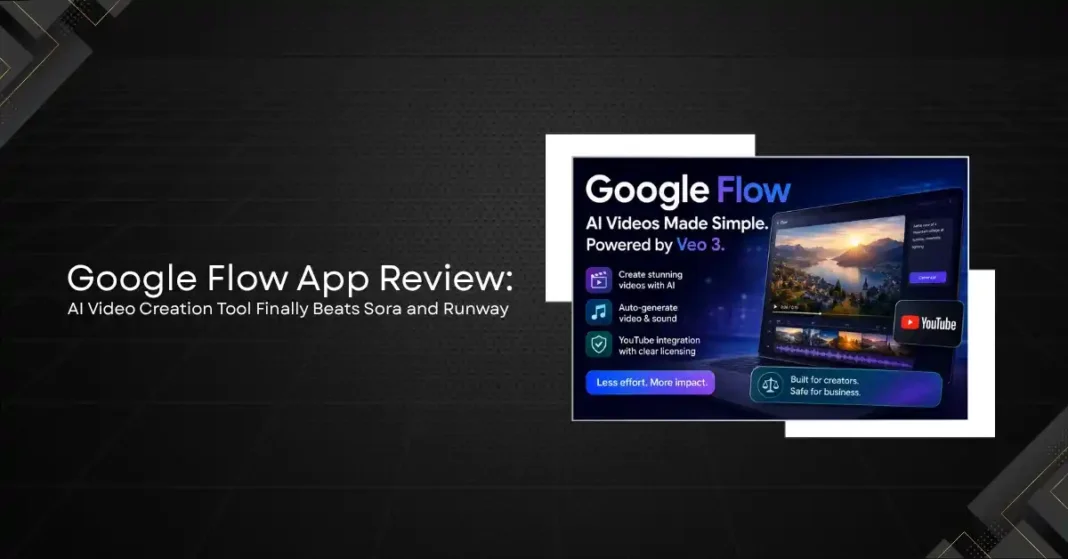
Google announced Flow at Google I/O 2026 as its consumer-facing AI video creation tool, built on the Veo 3 video generation model and designed for creators who want to produce high-quality short-form video without traditional production equipment or editing expertise. The positioning was ambitious: Google was explicitly competing with OpenAI’s Sora and Runway’s Gen-3 model, which have been the dominant AI video creation tools since 2025.
After two weeks of hands-on testing across a range of video creation tasks, the picture is clear enough to give a direct assessment. Flow is genuinely impressive in some specific areas, narrower than its marketing suggests in others, and has one meaningful advantage over its competitors that is not immediately obvious from the feature list. Here is the full evaluation.
What Flow Actually Does
Flow is a text-to-video and image-to-video generation tool accessible through a web interface and a mobile app. Users enter a text prompt describing the video they want, optionally upload reference images or video clips, and Flow generates a short video clip, typically 5 to 30 seconds, based on those inputs. The generated videos can be extended, edited using text instructions, combined with other generated or uploaded clips, and exported in standard video formats.
The distinguishing feature of Flow relative to earlier AI video tools is the quality and consistency of Veo 3’s output. Veo 3 has a larger training dataset and more compute behind it than any previous video generation model, and the results reflect that investment. Scenes with consistent lighting, accurate physics, and coherent motion over the duration of a clip are substantially better than what Runway Gen-3 and Sora produced at launch.
Flow also includes a basic audio generation capability that creates music and ambient sound to accompany generated video, which is a feature that Sora still lacks in its consumer-facing product. The audio quality is adequate for social media content and basic presentations but not at the level of professional music production or bespoke sound design.
Video Quality: The Honest Assessment
The best videos that Flow generates are genuinely impressive. Prompts involving natural landscapes, architectural spaces, and abstract visual concepts produce outputs that are polished, cinematically composed, and technically clean. Testing a prompt like “aerial view of a Scottish highland village at sunrise, golden hour light, slow camera drift” produced a 15-second clip that would be difficult to distinguish from drone footage on a casual viewing.
The gap between Flow’s best outputs and its typical outputs is wide. Videos involving human faces and bodies, complex character actions, and scenes with multiple interacting elements showed the quality inconsistencies that have characterised all current AI video tools. Hand rendering remains a problem across all tested prompts involving human subjects. Consistency between shots, when trying to create a multi-clip sequence with the same character, degrades significantly after the second or third clip despite Flow’s “consistency” feature.
Compared to Sora in its current consumer-accessible form, Flow produces comparable peak quality and slightly better consistency in non-human scenes. Sora produces more cinematic movement and better handles complex physics in some scenarios. Runway Gen-3 still leads on specific creative and stylistic effects for motion graphics and abstract visual work. None of these tools is unambiguously better than the others across all use cases, which is important context for evaluating Google’s marketing claims.
The Unique Advantage: YouTube Integration
The feature that actually differentiates Flow from Sora and Runway is one that Google buried in the announcement rather than leading with: native YouTube integration. Flow-generated videos can be published directly to YouTube, and Flow can use YouTube video footage as reference inputs with full licensing clearance because the footage has been licensed through YouTube’s creator ecosystem.
This is more significant than it sounds. One of the biggest legal risks in AI video production currently is copyright infringement, where AI tools use unlicensed footage in training or generation. Google’s licensing relationships with YouTube creators provide a large library of reference material that Flow can use without creating legal exposure for the creators who use the tool. For businesses and professionals who need AI-generated video for commercial purposes, the legal certainty of Flow’s content sourcing is a meaningful advantage over tools with less clear provenance for their training data.
The YouTube integration also means that Flow has access to the largest library of reference video in the world for style and scene matching. Prompts that reference specific visual styles, locations, or event types produce better results in Flow than in competitors partly because Flow has seen significantly more real-world video of those subjects in its training data.
Ease of Use
Flow’s interface is simpler than Runway’s professional-grade toolset but more capable than the basic prompt-and-generate interfaces that defined first-generation AI video tools. The workflow for a typical short video project is: write a scene description, generate a base clip, use text instructions to modify specific elements, generate additional clips for a sequence, arrange clips in the built-in timeline, add auto-generated audio, and export.
That workflow is manageable for a creator with no video editing background, though mastering the prompt craft required to get consistently good outputs takes meaningful practice. Google’s built-in prompt suggestions and example prompts help new users understand the vocabulary that the model responds to, which is a thoughtful onboarding feature.
The mobile app is functional but limited compared to the web interface. Complex editing and multi-clip sequencing are best handled on a desktop. For generating and sharing individual clips, the mobile experience is smooth.
Pricing
Flow is included in Google One AI Premium plan subscriptions at $19.99 per month, which also includes Gemini Advanced access, 2TB of Google storage, and several other Google products. As a standalone value proposition, the AI Premium plan is one of the better-value AI subscription bundles available in 2026, assuming you use more than one of the included products.
For comparison, Runway’s Gen-3 access starts at $15 per month for the Standard plan with 625 credits, and Sora access is included in ChatGPT Plus at $20 per month. On a pure cost basis, Google’s bundle pricing is competitive, though Runway’s credit system makes direct comparison difficult for high-volume users.
Who Should Use Flow and When
Flow is well suited for social media content creators who produce high volumes of short-form video and need a tool that is fast, relatively easy to use, and produces consistent quality for non-human subjects. It is also well suited for marketing teams that need quick visual content for campaigns and can accept the current limitations around human characters. The YouTube integration makes it a strong choice for any creator who is already publishing on YouTube and wants a tool with clear content provenance for commercial use.
Flow is not the right tool for: projects that require consistent human character representation across multiple clips; projects where the highest possible video quality is the primary requirement; professional film and television production where Flow’s limitations in physics rendering and character consistency would be unacceptable; or projects that require the advanced stylistic controls that Runway’s professional tools provide.
Final Verdict
Does Flow beat Sora and Runway? For specific use cases, yes. For landscape, architectural, and abstract video content intended for social media and YouTube, Flow produces outputs that match or exceed Sora’s quality at a more accessible price point, and the YouTube licensing advantage is real and meaningful for commercial creators.
For projects involving human subjects, complex action sequences, or professional production standards, neither Flow nor its competitors have reached the level of consistency that would make them a reliable primary production tool. The gap between the best possible AI video output and what a skilled human filmmaker produces with conventional tools remains significant.
The more honest framing of where AI video creation tools stand in mid-2026 is that they are at approximately the same stage that AI image generation was in 2022: impressive for specific tasks, obviously artificial for others, and on a trajectory that will make them substantially more capable within 18 to 24 months. Flow is a strong entry in that generation of tools, not a definitive winner over its competitors, but a clear step forward for the category overall.