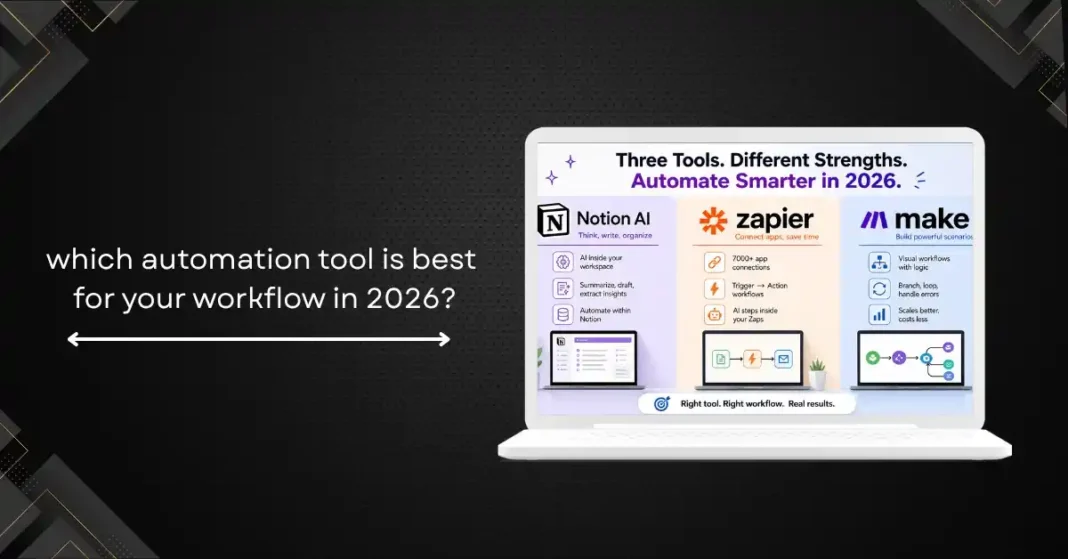
Picking the wrong automation tool costs more than money. It costs weeks of setup time, data cleanup after broken workflows, and the slow frustration of watching a system fail to do what you hired it to do. In 2026, three tools dominate the automation conversation for knowledge workers and small teams: Notion AI, Zapier, and Make. Each has a distinct architecture, a different philosophy about what automation means, and a genuinely different set of strengths. This is a straight comparison of all three, covering what each does best, where each falls short, and how to decide which one fits your actual workflow.
What Each Tool Actually Does
Notion AI is not primarily an automation tool. It is an AI layer built into a workspace. The automation it offers lives inside documents, databases, and pages: summarizing meeting notes, drafting content from structured data, filling in database properties based on rules, and surfacing relevant context as you work. When Notion calls something automation, it typically means AI-assisted task completion within the Notion environment, not connecting external apps.
Zapier is a workflow automation platform that connects over seven thousand apps using a trigger-action model. When something happens in App A, Zapier does something in App B. A new row in a Google Sheet triggers a Slack message. A new lead in HubSpot creates a task in Asana. Zapier handles the middleware layer between applications, and in 2026 it has added AI steps that let you process, classify, or generate content inside a workflow using large language models.
Make, formerly known as Integromat, is also a workflow automation platform that connects apps, but it takes a visual, scenario-based approach with significantly more flexibility than Zapier. Where Zapier uses a linear trigger-action structure, Make uses modules arranged in a visual canvas that can branch, loop, and handle errors in ways that Zapier’s interface makes difficult. Make is more technical to set up but more powerful once you understand it.
Pricing in 2026: What You Actually Pay
Notion AI is available as an add-on to Notion’s existing plans. The Plus plan costs around ten dollars per month per user, and the AI features require an additional eight to ten dollars per user per month on top of that. For a five-person team, you are looking at around ninety to one hundred dollars per month for full Notion AI access. The pricing is per seat, which makes it expensive to scale across large teams.
Zapier has restructured its pricing significantly in 2025 and 2026. The free plan allows one hundred tasks per month, enough for testing but not for serious use. The Starter plan at around twenty-nine dollars per month covers seven hundred and fifty tasks. The Professional plan, which unlocks multi-step zaps and AI features, runs seventy-three dollars per month for two thousand tasks. Heavy users at the Team tier pay one hundred eighty-nine dollars per month. Zapier’s task-based pricing can become expensive as automation volume grows.
Make’s pricing is operations-based rather than task-based. A free plan covers one thousand operations per month. The Core plan at ten dollars per month includes ten thousand operations. The Pro plan at sixteen dollars covers one hundred thousand operations. For teams doing significant automation volume, Make is typically three to five times cheaper than Zapier for equivalent functionality, which is one of the primary reasons teams migrate from Zapier to Make once their automation needs grow.
What Notion AI Does Well
Notion AI earns its keep inside a single platform. If your team already lives in Notion for project management, documentation, and knowledge management, the AI features add meaningful value without requiring you to learn a new tool or maintain a separate system.
The meeting notes workflow is genuinely useful. You can paste a transcript or rough notes into a Notion page and use AI to extract action items, summarize decisions, and format the output into a structured template. For teams that take a lot of meetings and struggle with documentation, this alone saves several hours per week.
The database automation features added in late 2025 allow you to set rules that trigger AI actions when database properties change. If a project status changes to ‘In Review,’ Notion can automatically generate a summary of the project’s linked documents and populate a field for reviewers. These rules are accessible to non-technical users and do not require webhook knowledge.
Where Notion AI falls short is the moment you need to connect to an external system. It does not send emails, update CRMs, post to Slack, or sync with Google Sheets based on triggers. Its automation is entirely contained within the Notion environment. Teams that need cross-app automation have to use a separate tool alongside it.
What Zapier Does Well
Zapier’s primary strength is accessibility. The trigger-action interface is genuinely easy to understand, the app library is the largest of any automation platform, and the pre-built Zap templates for common use cases mean most people can have a working automation running in under fifteen minutes without ever reading documentation.
For simple, one-directional automations that do not need to branch or loop, Zapier is hard to beat on ease of use. New form submission goes to a spreadsheet and sends a confirmation email: that takes five minutes in Zapier. The same workflow in Make requires setting up modules, mapping fields, and understanding the visual canvas, which takes longer the first time even if it offers more control.
Zapier’s AI step, introduced in 2024 and expanded in 2025, lets you insert an AI action into any workflow. You can send incoming data to Claude or GPT-4, give it a prompt, and use the output in subsequent steps. A customer support team can route incoming tickets by running the ticket text through an AI classifier that determines urgency and assigns it to the right queue, all within a single Zap.
The weakness is cost at scale and flexibility at the edges. Once you start building automations that need loops (do this for each row in a dataset), error handling (if this step fails, do that instead), or parallel branches, Zapier’s linear model becomes limiting. Teams that hit these limits either pay for workarounds or migrate to Make.
What Make Does Well
Make is the tool of choice when automations need to be genuinely complex. The visual canvas lets you see the entire flow of data at once, with modules for each step connected by lines that show exactly what data moves where. For anyone comfortable with logic and process thinking, even without coding experience, Make’s model is often clearer than Zapier’s linear step list once the initial learning curve is passed.
The router module, which splits a workflow into multiple paths based on conditions, is one of Make’s most useful features. A single incoming webhook can trigger five different paths depending on the data it contains. Zapier requires separate Zaps or workarounds to achieve the same result. Make handles this natively in a single scenario.
Make also handles larger data volumes more gracefully. The operations model means running a loop that processes one thousand records costs the same proportionally as running one that processes ten. Zapier charges per task, so a loop that processes one thousand records inside a single Zap counts as one thousand tasks.
The documentation and error messages in Make have historically been harder to parse than Zapier’s, though the platform has improved significantly in 2025 and 2026. The learning curve is real, and for users who want a quick setup, Zapier will feel faster. Make rewards the investment in learning it.
Real-World Use Case Comparisons
For content teams using Notion as their primary workspace, the combination of Notion AI and Zapier often makes more sense than choosing one over the other. Notion AI handles the within-platform intelligence, while Zapier moves data between Notion and other tools like Airtable, HubSpot, or Mailchimp. These tools are not substitutes for each other; they serve different layers of the same workflow.
For e-commerce businesses with complex order processing workflows, Make is typically the right choice. A scenario that receives an order webhook, looks up inventory in a separate system, routes fulfillment to one of three warehouses based on location, sends a confirmation email, and updates a dashboard can be built in a single Make scenario and costs a fraction of what Zapier would charge at volume.
For solo freelancers or very small teams doing light automation, Zapier’s free or Starter tier handles most needs: routing form submissions, triggering email sequences, creating tasks from emails. The simplicity is genuinely worth the cost premium at low volumes.
For operations-heavy teams at growing companies, Make at the Pro tier is almost always the better financial decision once automation volume exceeds a few thousand tasks per month. The flexibility to handle complex logic without workarounds also reduces maintenance time, which has a real cost that does not show up in pricing comparisons.
AI Features: How All Three Compare in 2026
All three tools have added AI capabilities, but the implementations differ meaningfully. Notion AI is the most deeply integrated, where AI is a native feature of the workspace rather than an external call. The experience is fluid: you highlight text and ask AI to summarize it, you type in a database field and AI suggests values, you open a page and AI surfaces related content. It feels like a thinking layer over your workspace.
Zapier’s AI steps are functional but feel like an add-on. You insert an AI step into a Zap, write a prompt, and the output flows into the next step. It works well for classification, extraction, and generation tasks inside workflows. The interface for writing prompts is basic compared to dedicated AI tools, and there is limited ability to manage conversation context across multiple AI steps in a single Zap.
Make’s AI module connects to the same underlying models as Zapier’s AI step, and the visual canvas makes it easier to see how AI outputs flow through subsequent steps. Make added a dedicated AI-focused module library in 2025 that includes pre-built integrations with Claude, OpenAI, and Gemini, along with templates for common AI-in-automation use cases like document processing, content classification, and sentiment analysis.
Which Tool Should You Choose?
The honest answer is that most teams end up using more than one of these. Notion AI for internal knowledge work and documentation, Zapier or Make for cross-app workflows depending on complexity and budget.
Choose Notion AI if your team already uses Notion heavily and you want to add intelligence to your existing workspace without building external workflows. It is not a replacement for an automation platform but a complement to one.
Choose Zapier if you are new to automation, your workflows are relatively simple, and speed of setup matters more than cost at scale or handling complex logic. The app library and pre-built templates get you to a working automation faster than any other option.
Choose Make if your automations are complex, involve large data volumes, or need branching logic and error handling that Zapier cannot handle cleanly. The learning curve is real, but the payoff in flexibility and cost efficiency is substantial for teams that grow into it.
The worst outcome is paralysis. All three tools are genuinely capable. The one that gets used consistently beats the one with the best feature list that stays on a pricing comparison page. Start with what feels approachable, automate one workflow, and let the real-world experience tell you whether you need to switch.